
Why Slow IT Is Hard to Diagnose
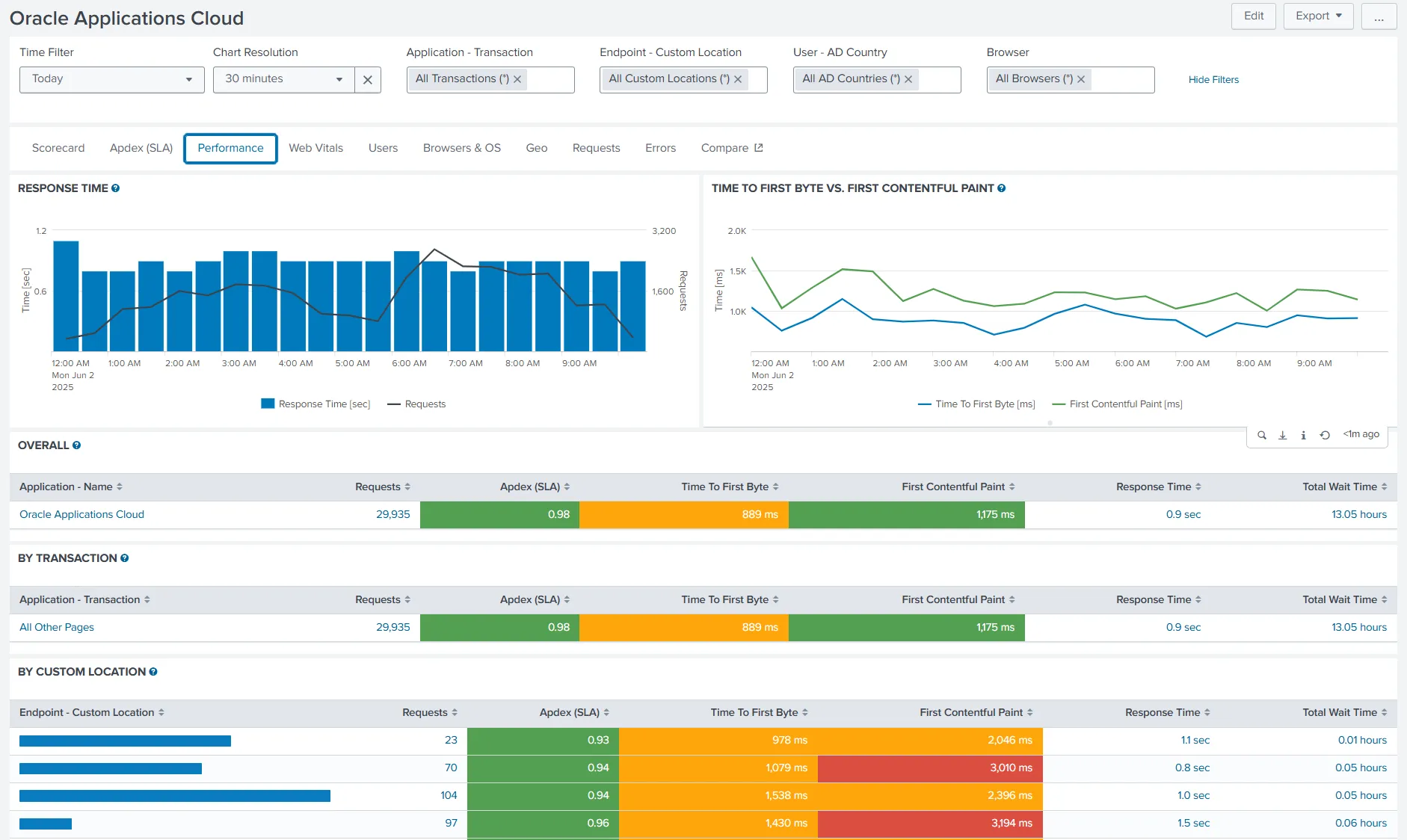
A SaaS application responds slowly throughout the morning. Microsoft Teams calls become unreliable at one office. Employees experience delays in their virtual desktops, even though the infrastructure appears operational.
These problems are difficult to diagnose because “slow” describes an experience without identifying its cause. A service can remain available while repeated delays interrupt work. To investigate effectively, IT needs to understand what was happening across the employee’s digital environment when the problem occurred.
UXM connects application, endpoint, and network performance with real-user activity, helping IT teams investigate recurring problems and prioritise action based on their impact on employees and critical work.
Understanding Disruption Over Time
An isolated performance event provides limited context. A brief increase in CPU utilisation may have little noticeable effect, while recurring application delays can interrupt a department throughout the day.
Counting events alone does not establish which problem deserves attention first. Teams need to understand:
- Whether poor performance coincides with active work
- How long the disruption lasts
- Whether the same employees are repeatedly affected
UXM’s real-user monitoring provides evidence from actual application use and user sessions. Teams can examine transactions such as opening invoices or searching customer orders, then compare performance across users and locations to identify recurring patterns.
Investigating the Cause
The application in which an employee experiences a delay is not necessarily where the problem originates.
A slow SaaS transaction could reflect:
- Application performance: Slow server response times
- Network conditions: Latency or poor Wi-Fi connectivity
- Endpoint performance: Resource pressure on the employee’s device
UXM brings these conditions together so IT teams can examine them during the affected period, drilling down into sessions, transactions, and endpoint details to investigate likely causes.
For example, if Teams problems recur at one office while other locations remain unaffected, local connectivity is worth investigating alongside call performance. Delays in a virtual desktop may coincide with a resource-intensive process within that session.
These patterns help direct the investigation; further checks are needed to establish the cause.
Shared evidence helps application, network, and endpoint teams coordinate their work, reducing duplicate troubleshooting and unnecessary handovers, and helping teams resolve problems sooner.
Making Unreported Disruption Visible
Employees may tolerate intermittent delays or try to resolve problems without submitting a ticket. Restarting applications or seeking help from colleagues can restore access temporarily, but these workarounds interrupt work and may leave the underlying problem unresolved.
Agreed performance thresholds give IT and business teams a consistent basis for recognising disruption.
UXM provides two useful measures:
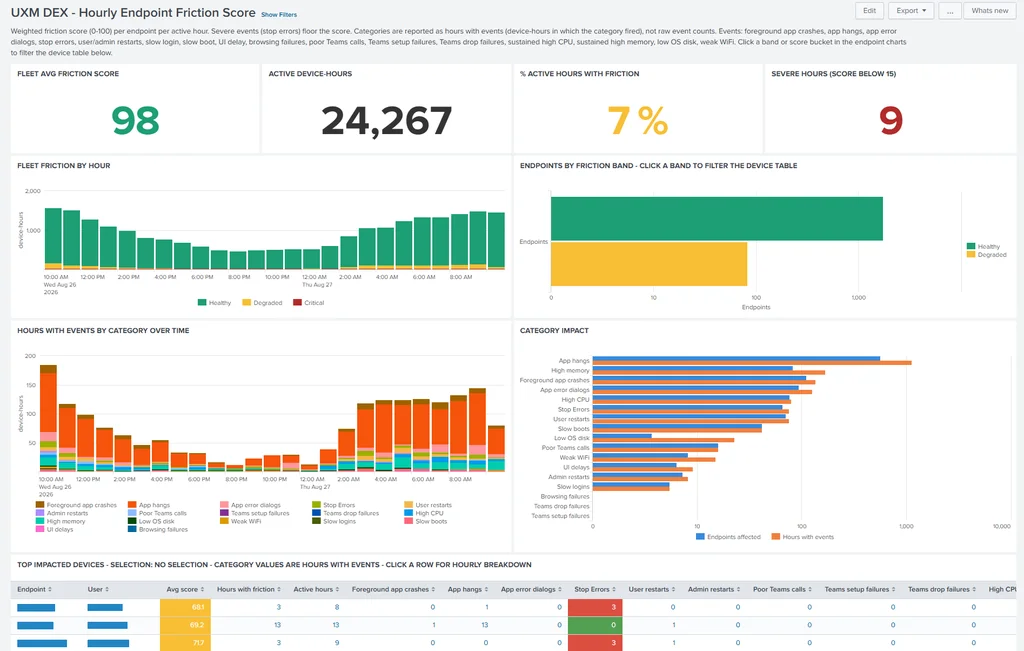
- Friction scoring: Helps identify degraded digital experiences using configurable thresholds.
- Friction hours: Estimates the working time affected by digital friction.
Friction hours do not represent an equivalent amount of lost productive time. Employees may continue working at a reduced pace or switch tasks while waiting.
For more on measuring disruption and using the results to guide decisions, read our companion article:
How Much Productive Time Is Lost to Digital Friction? →
Prioritising Action and Checking the Result
A recurring delay in a business-critical application may warrant attention ahead of numerous isolated alerts.
Priorities should reflect three factors:
- Business impact: How important is the affected work?
- Duration: How long does the disruption last?
- Employee impact: How many employees are affected?
UXM’s configurable alerts help teams detect deteriorating performance, while synthetic monitoring tests service availability and response times independently of actual employee use.
After corrective action, teams can compare performance for similar users and working periods, using consistent thresholds to assess whether disruption has become less frequent or less severe.
From Slow IT to Better Employee Experiences
The aim is to identify which problems disrupt important work, investigate their causes, and verify that corrective action improves the employee experience.
More from the Blog
Start with UXM
DEMO →