
Managing SaaS Adoption and Performance
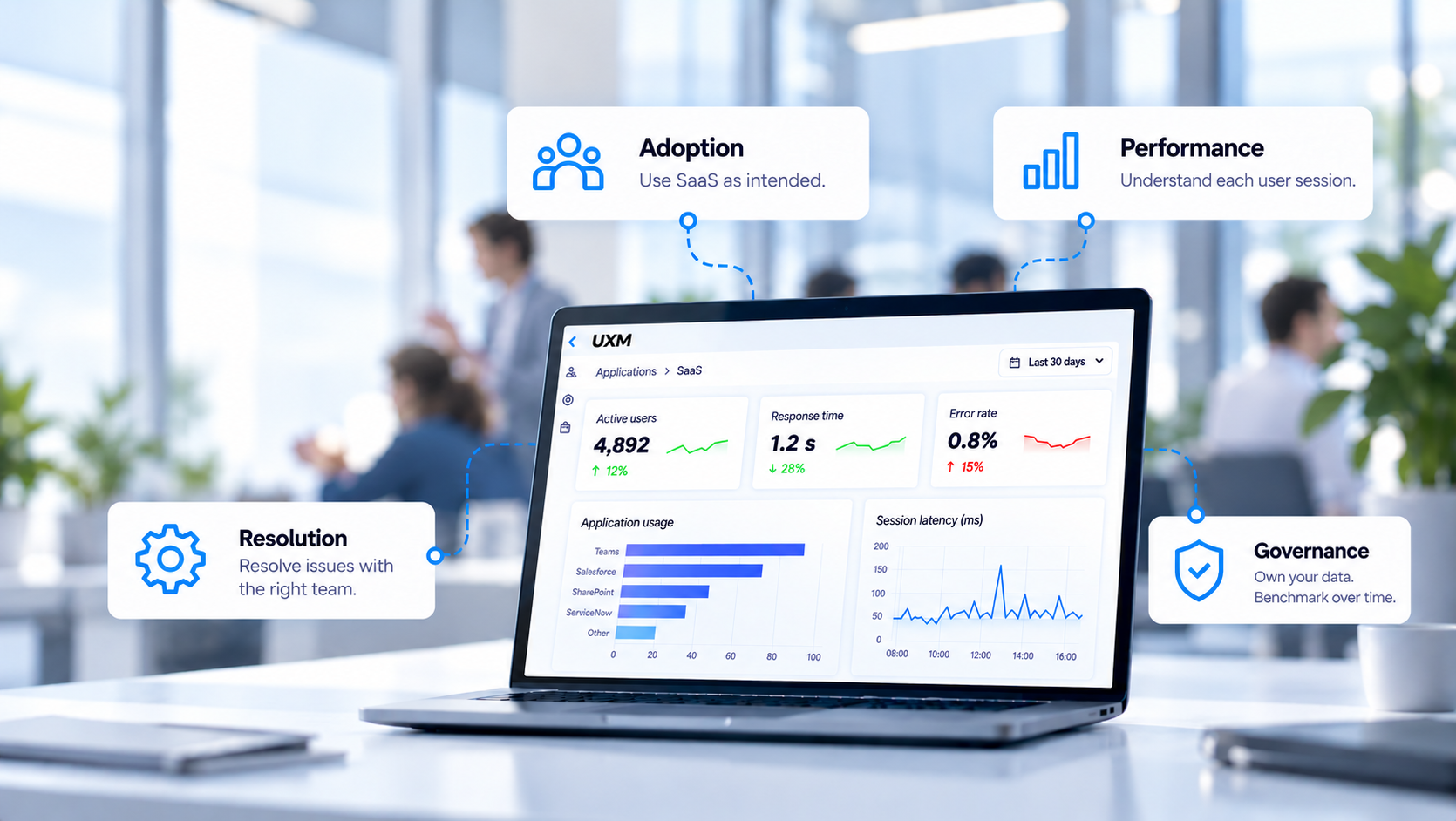
When employees struggle with a SaaS application, the cause may lie within the service, the connection, the browser, or the device. IT depends on the vendor for changes within the SaaS service, while problems elsewhere may require action by internal teams or another provider. A healthy vendor dashboard does not explain every delay or failed workflow. Detailed evidence helps the organisation identify what to investigate and who needs to act.
The same problem can undermine adoption. Employees may log in regularly while avoiding functions that perform poorly. UXM connects SaaS usage with application performance and measures bandwidth and latency for each user’s application session. This helps internal IT understand what employees experience, investigate local issues, and engage the SaaS vendor or another provider when their involvement is needed.
Understand adoption through the work employees perform
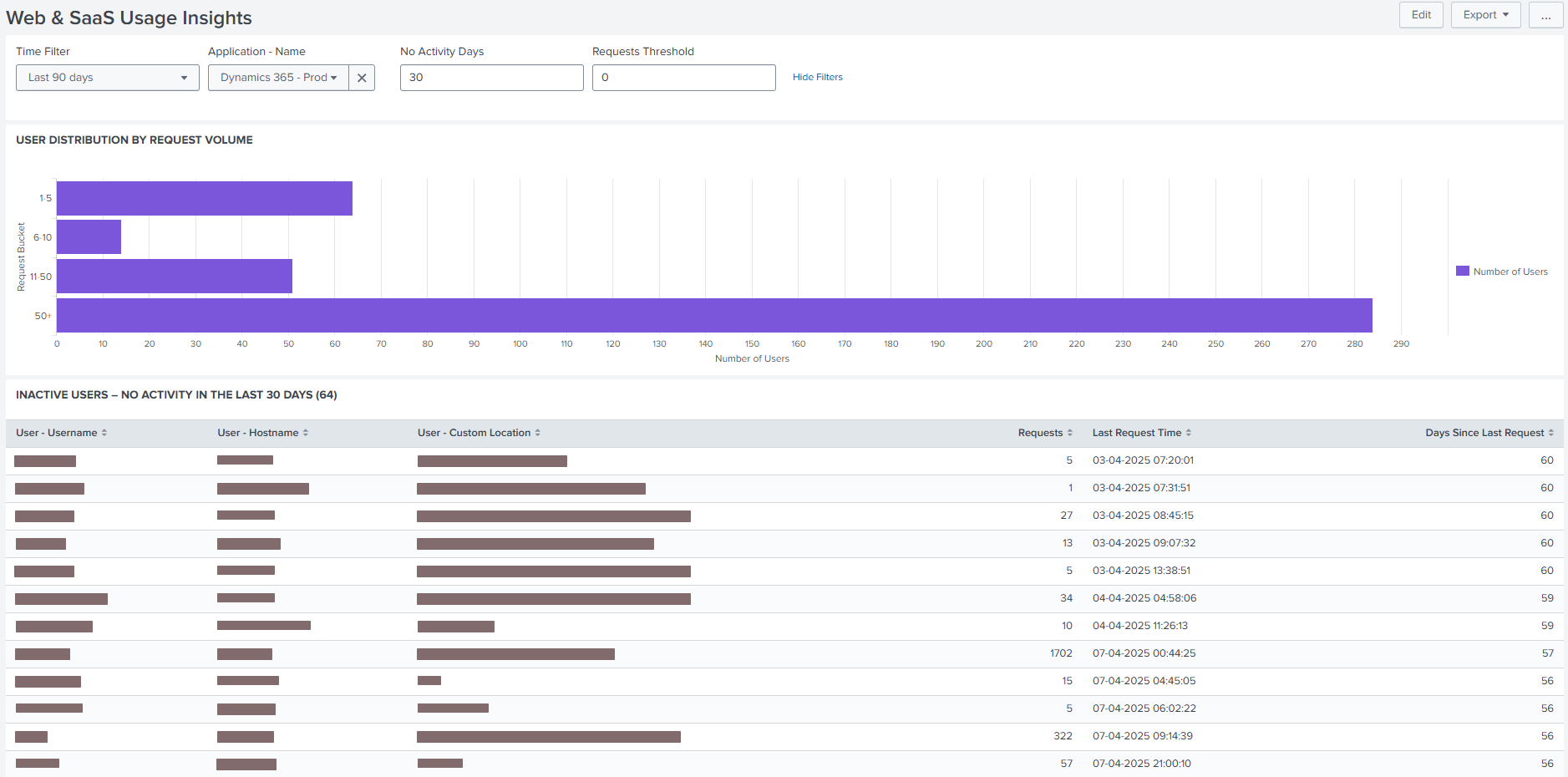
A successful login confirms access. Application owners also need to know whether employees use the workflows the organisation introduced the application to support. For a finance team, that might mean opening invoices or searching customer orders.
Depending on the application and monitoring configuration, UXM can follow these activities alongside application usage and performance. This helps identify workflows that receive little use or perform poorly for particular employee groups.
Low usage deserves investigation before more training is prescribed. Employees may lack guidance, find the workflow unsuitable, or encounter delays that make an older process easier to use. Comparing employees with similar responsibilities and discussing their experience helps distinguish these explanations.
Understand the limits of synthetic tests and vendor monitoring
Synthetic tests are useful for checking availability and repeating selected workflows. However, a test runs from a particular location, with a particular configuration, under the network conditions present at that time. A successful test does not establish that employees elsewhere received the same experience.
Employees access SaaS applications from different offices, home networks, and devices, using different browsers and connections. Wi-Fi quality, available bandwidth, latency, and VPN conditions can change during the working day. Tests from selected locations cannot reproduce every combination. Even a synthetic test from an employee’s endpoint samples a scripted activity; it does not replace evidence from the actual session in which the problem occurred.
The vendor’s monitoring may also stop short of the employee’s endpoint. Without telemetry from that endpoint, the provider may lack visibility into local Wi-Fi, device conditions, and browser failures. A healthy service dashboard and a successful synthetic test can therefore coexist with a poor employee experience.
Make the connectivity gap visible
To investigate that gap, IT needs measurements from actual SaaS use. The application, local endpoint, and connection must be examined during the affected session, so an intermittent problem remains visible after it has passed.
UXM measures bandwidth and latency for each user’s application session. IT can establish which users experienced high latency or limited bandwidth, in which SaaS application, and when. These measurements provide direct evidence of connectivity degradation during the affected session.
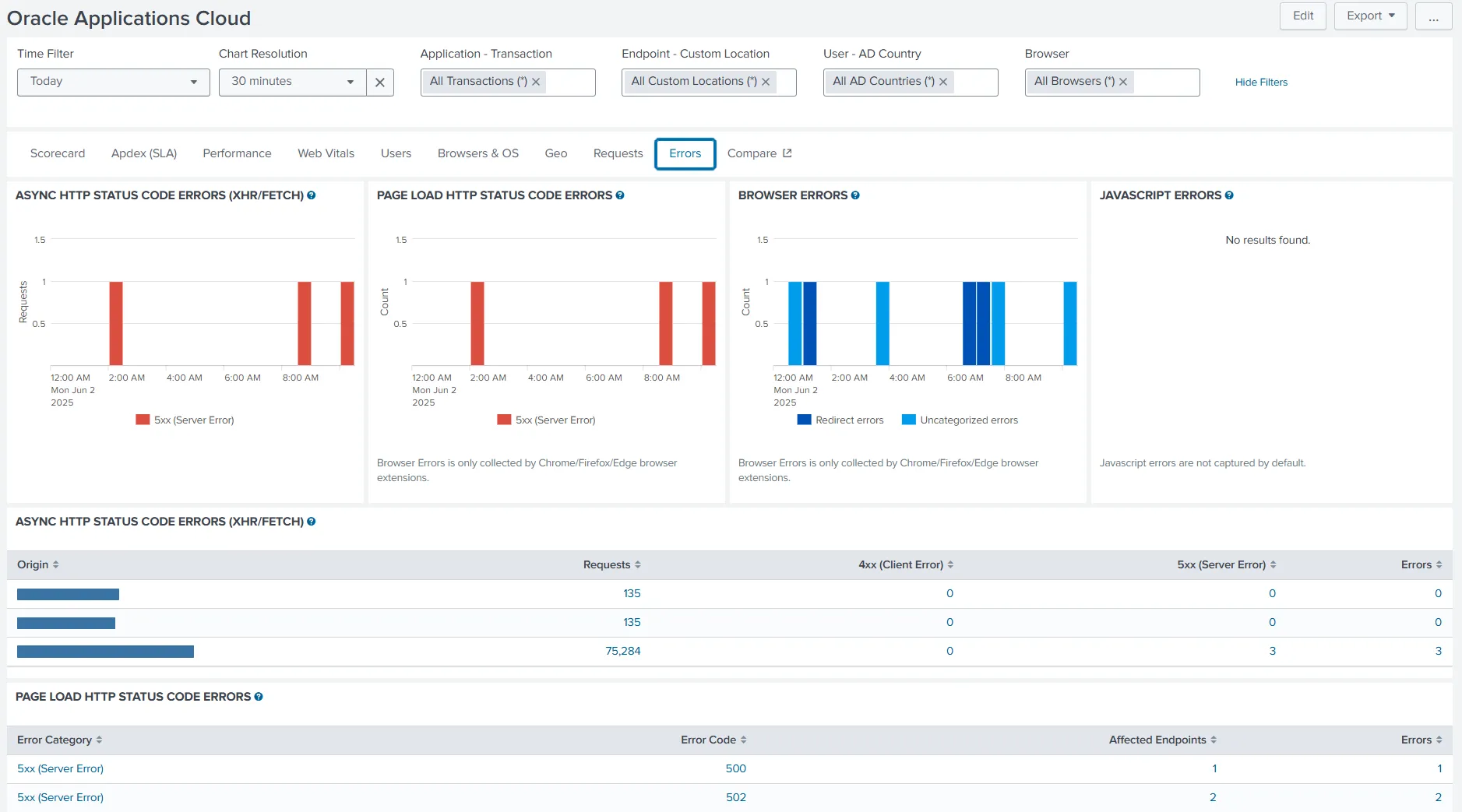
UXM also records errors observed locally in the user’s browser, including network timeouts, redirect errors, SSL connection issues, and JavaScript errors. This makes failures visible from the employee’s side, even when the vendor’s availability dashboard reports normal service.
Together with request timings, application response times, and session bandwidth and latency, these records help IT locate where a request fails. A timeout, a failed redirect, and an SSL connection error point to different areas for investigation. Teams can examine the recorded failure alongside connectivity and endpoint conditions from the same period, then direct the evidence to the relevant internal team or vendor.
Help the right team resolve the issue
A poor SaaS experience does not always originate within the SaaS application. Local connectivity, browser behaviour, device conditions, or another dependency can prevent employees from working effectively, even when the vendor’s service is operating normally.
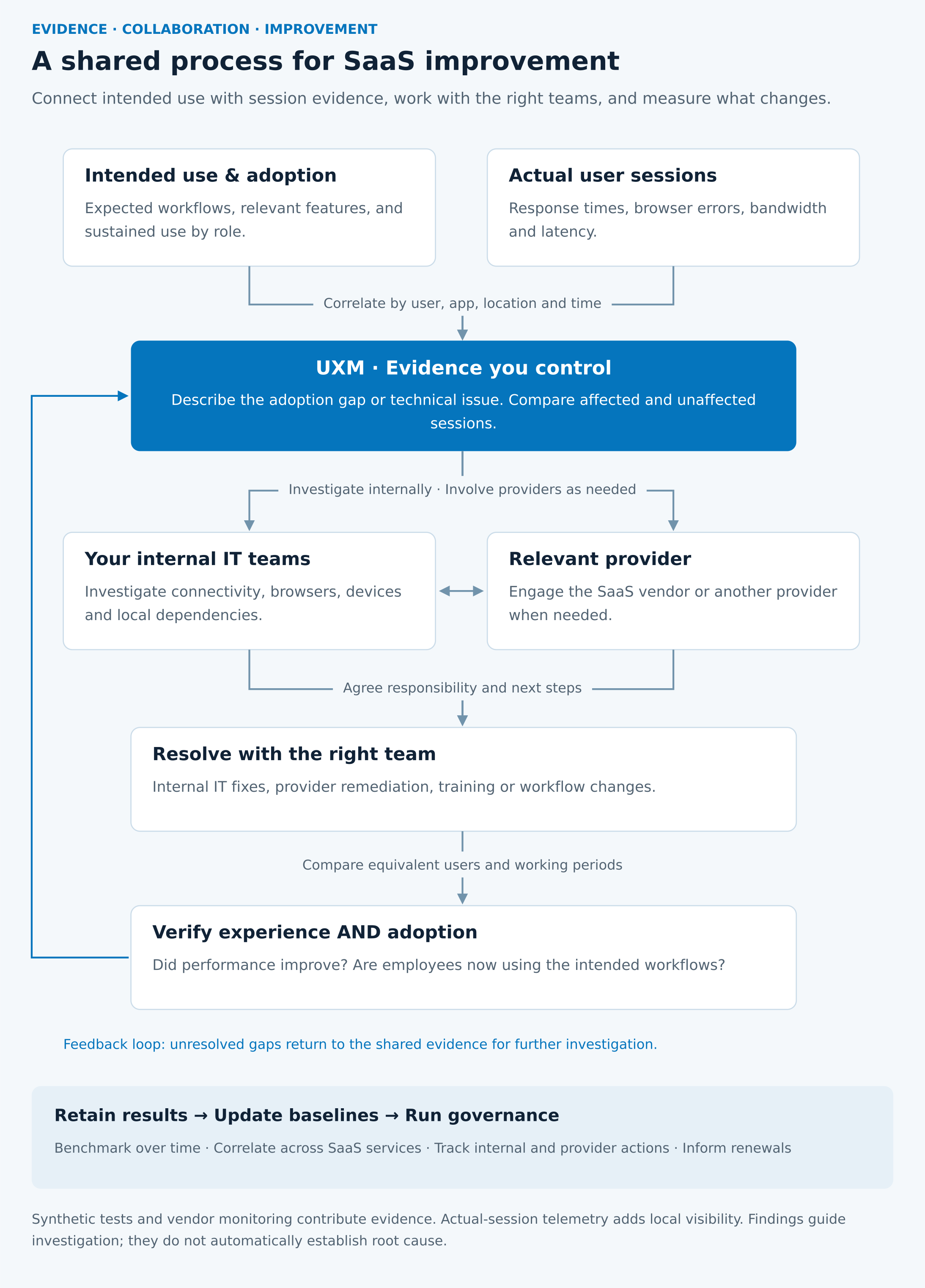
UXM gives internal IT evidence from the affected user’s application session, including bandwidth, latency, response times, and browser errors. Comparing affected users, locations, and applications helps IT narrow the investigation and direct it to the appropriate network, endpoint, security, or application team. Issues outside the SaaS service may also require support from a network or other service provider; they are not automatically the responsibility of internal IT.
For example, if several SaaS applications deteriorate for users at the same location and time, internal IT can investigate shared connectivity or infrastructure. If a problem is concentrated in one browser or device group, the endpoint or application team can examine those conditions. If one application performs poorly across locations while other services remain stable, the evidence supports closer investigation of that application and its dependencies with the SaaS vendor.
Errors observed in the browser show what the user experienced; they do not, by themselves, establish which component caused the failure. Internal teams and providers can compare their findings to agree the next action. The aim is to give the team best placed to act a specific problem to investigate.
Give internal teams and providers actionable evidence
A support request that says “the application is slow” leaves an internal specialist or provider with little to investigate. It can lead to repeated requests for more information, tests performed under different conditions, and conflicting conclusions about whether a problem exists.
Use UXM’s session and application evidence to describe the affected experience clearly:
- The business activity affected, such as opening an invoice, and when the issue occurred, including the time zone.
- The users, locations, and browsers affected, with comparisons to sessions where the activity performed normally.
- The observed application response times and request timings, together with recorded browser errors such as network timeouts, redirect errors, SSL connection issues, and JavaScript errors.
- The bandwidth and latency measured for those users’ application sessions, alongside relevant Wi-Fi and endpoint conditions.
This gives the responsible team a defined activity, period, and set of conditions to examine. Internal IT can use the same evidence to coordinate network, endpoint, security, and application specialists. Where provider involvement is needed, it also shows what IT has already checked and makes the escalation more specific.
Internal teams can compare UXM’s user-session evidence with their own diagnostics. The SaaS vendor can match affected requests and times with service logs, while another provider can investigate its part of the connection or service. Agree the next action and an owner, then use subsequent measurements to check the result. This supports local resolution and productive provider collaboration without assigning blame before the evidence is examined.
Check whether the change improves adoption
Resolving the technical issue is part of managing adoption. After an internal IT fix, connectivity improvement, or vendor update, compare the affected workflow for similar users and working periods. Check whether response times improved, the recorded browser failures were resolved or became less frequent, and session bandwidth and latency meet the agreed expectations. Then examine whether employees use the intended workflow more consistently.
For a SaaS rollout, a useful review combines the proportion of eligible employees using the intended workflow, repeat use over time, and the performance and connectivity conditions during that use. Define expectations around the task: a monthly reporting function should not be assessed like an application needed throughout the day.
If performance improves but adoption remains limited, discuss the remaining barriers with employees. Targeted guidance or a workflow change may still be needed. Following training, check whether employees begin using the relevant functions in their everyday work.
Keep your own data for benchmarking and governance
Retaining control of your own usage and experience data gives the organisation a record of how a SaaS service performed for its employees. That evidence can substantiate a reported issue and preserve the history needed to assess internal IT changes and provider responses, without relying entirely on a provider’s dashboard or reporting periods.
Build a baseline for each SaaS application and its important workflows. Follow adoption, response times, browser errors, and session bandwidth and latency over time. Use consistent definitions and compare similar users, workloads, locations, and working periods. This helps distinguish a sustained improvement from a temporary change and makes deterioration visible before the next service review.
Correlate the results with other SaaS and web applications used by the same employees. If several services degrade at the same location and time, a shared connection or dependency deserves investigation. If one application slows down while others remain stable under comparable conditions, the application and its specific dependencies warrant closer examination. These comparisons help internal IT direct the investigation and strengthen the evidence shared with the relevant team or provider.
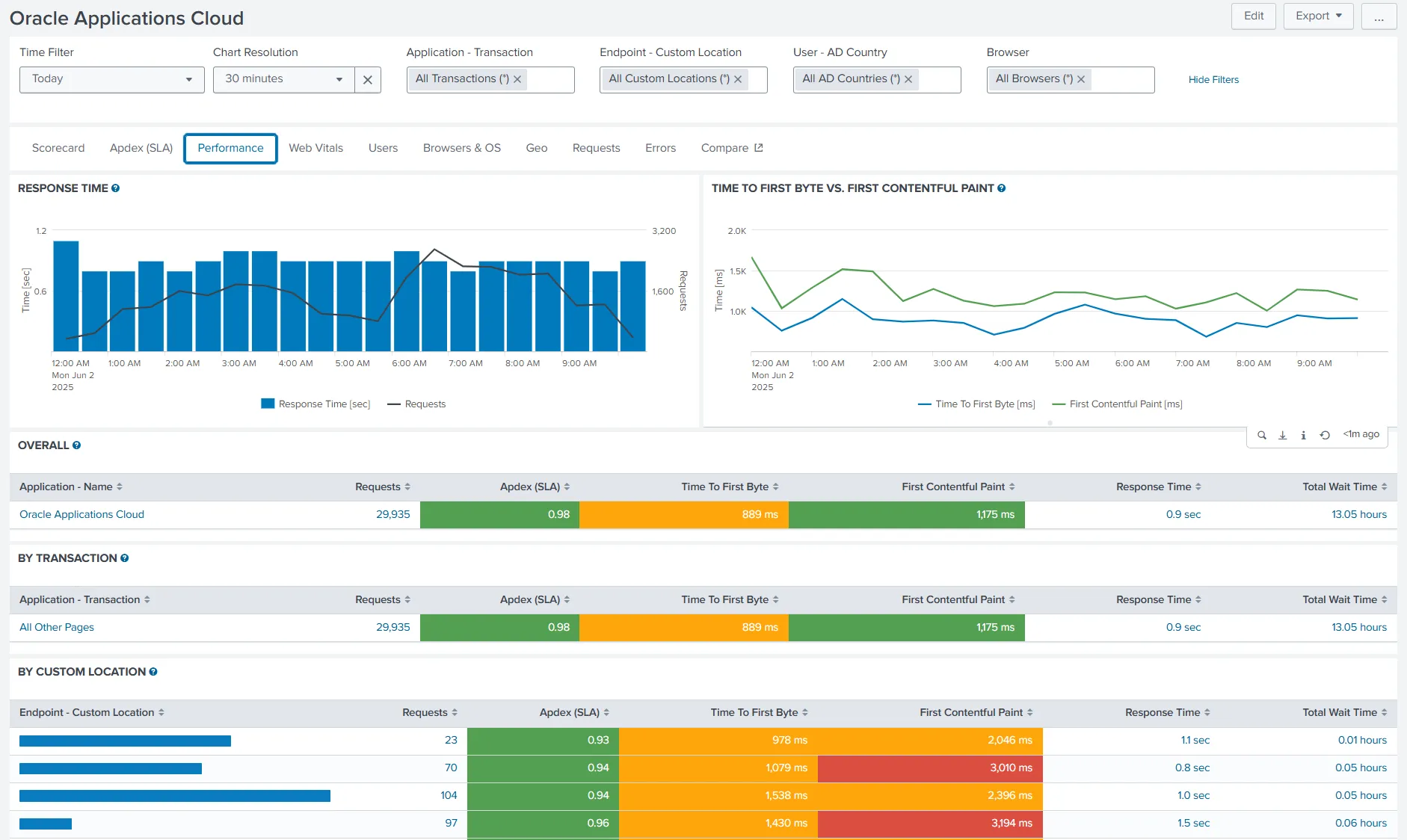
Use this record to run IT governance across the SaaS services the organisation depends on. Assign service owners, agree performance expectations for important workflows, and review adoption and experience trends regularly. Record corrective actions, who is responsible for them, and whether subsequent measurements confirm improvement. The same history supports comparisons between services and informs renewal, improvement, or replacement decisions alongside business requirements and employee feedback.
UXM’s usage, performance, browser-error, and connectivity evidence gives IT a consistent view from the employee’s side. It helps internal teams resolve issues within their remit, work with providers where needed, and assess whether each SaaS service supports the work employees are expected to perform.
More from the Blog

TURN INSIGHTS INTO ACTION
See UXM in action
UXM brings performance, health, and usage data together so you can make confident decisions across your digital workplace.
Fast deployment
•Real-world data
•Confident decisions